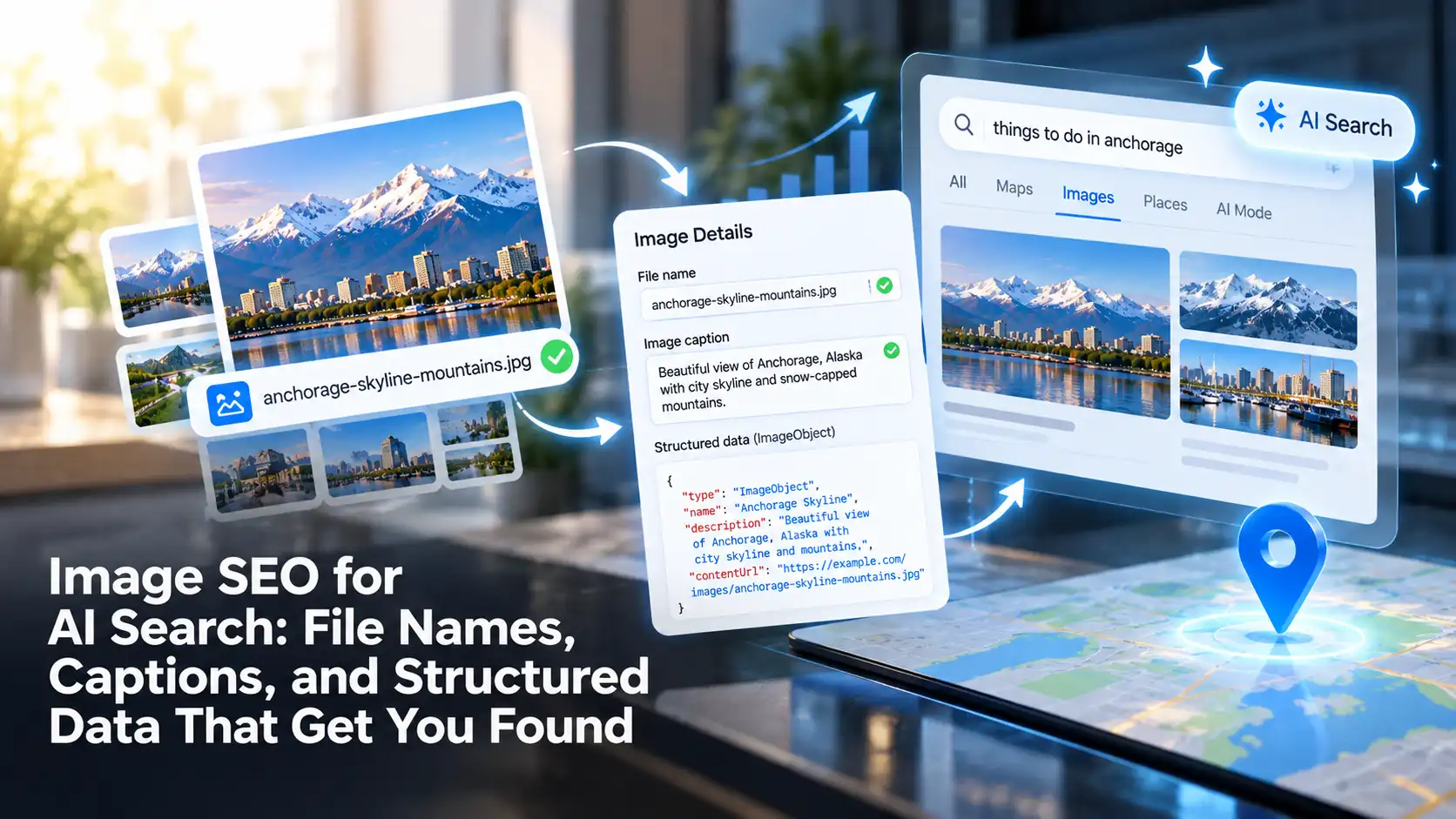
To help AI search and traditional search engines find and understand your images, give each image a descriptive file name, place it near a caption or text that explains it, and connect it to the page’s main subject with structured data. These signals tell search systems what an image shows and why it belongs on the page, context they can’t always read from the pixels alone.
Images now appear in AI-generated answers, Google Lens results, shopping comparisons, and visual search. That makes the information around an image an important part of AI SEO.
Why Do File Names, Captions, and Structured Data Matter for AI Search?
Search systems can analyze what’s inside an image, but they still rely heavily on surrounding information to decide what the image is about and which searches it fits.
A photo of a walnut kitchen cabinet tells a visual model that it’s looking at a cabinet. The file name, caption, and structured data can tell it the wood type, the style, the brand, the product it belongs to, and the business that made it. That added context is what connects an image to specific searches like “custom walnut shaker cabinets.”
Each signal adds something different:
- File names give a short, stable label for the image itself.
- Captions and nearby text explain what the image shows and why it’s on the page.
- Structured data connects the image to the thing it represents on the page.
Alt text plays a role too. It differs from a caption: a caption is visible to every reader, and alt text is a hidden description for screen readers and for moments when the image doesn’t load. We cover it in detail, along with formats and compression, in a separate guide.
Read More: Image SEO in 2026: Alt Text, Compression, and AI Visual Search
How to Write Image File Names That Search Systems Understand
Google recommends descriptive file names over generic ones. A name like IMG_4821.jpg says nothing about the image, while walnut-shaker-kitchen-cabinet.jpg describes the subject before anything else is read.
Describe the Subject in a Few Words
A good file name reads like a short label. Name the main subject and one or two details that matter for search, such as material, color, model, or location.
- Weak: DSC_0193.jpg, image1.png, final-final-v2.jpg
- Better: waterproof-leather-hiking-boot-brown.jpg
- Better: paver-patio-installation-backyard-firepit.jpg
Use Hyphens and Keep It Short
Separate words with hyphens rather than underscores or spaces, and use lowercase letters. Keep names to a handful of words. A file name is a label, not a sentence, and stuffing it with keywords makes it look less trustworthy, not more.
Transform Your Online Strategy with The Ad Firm
- SEO: Achieve top search rankings and outpace your competitors with our expert SEO techniques.
- Paid Ads: Leverage cutting-edge ad strategies to maximize return on investment and increase conversions.
- Digital PR: Manage your brand’s reputation and enhance public perception with our tailored digital PR services.
Rename Before You Upload
Most content management systems use the original file name in the image URL. Renaming after upload can create broken links or duplicate files, so build renaming into your upload process.
This matters most for sites that add images often. An online store uploading hundreds of product photos benefits from a simple naming pattern that the whole team follows. A convention like [brand]-[product-name]-[color]-[angle].jpg turns into names such as trailpeak-hiking-boot-brown-side.jpg, so every photo is labeled the same way no matter who uploads it. Ecommerce SEO often starts with fixing exactly this kind of issue at scale.
Match the Extension to the File Type
The file extension should match the actual format. A file saved as WebP but named with a .jpg extension can cause problems for browsers and crawlers.
How Captions and Surrounding Text Give Images Context
Google uses the text around an image to understand what it shows. Placing an image next to relevant text, and adding a caption where it helps the reader, gives search systems a much clearer picture than an image floating on its own.
Write Captions for Readers First
A caption should add information the reader can’t get from the image alone. Compare these two captions for the same project photo:
- Generic: “Our recent work.”
- Useful: “A 400-square-foot paver patio with a built-in fire pit, completed in two weeks for a sloped backyard.”
The second caption tells readers and AI systems what the project was, its size, and what made it different.
Not every image needs a caption. Decorative images and simple product thumbnails can do without one. Captions matter most for images that carry information, such as project photos, charts, diagrams, and comparison images.
Place Images Near the Text They Support
An image placed under a heading about the subject it shows is easier to interpret than the same image dropped at the bottom of the page. If a section explains how to clean leather boots, the photo showing the cleaning step belongs in that section.
Keep Text Out of the Image When It Matters
Important information that exists only inside an image, such as a price list, a chart’s key finding, or a menu, may be harder for search systems to use. Put the key points in the page’s text or caption as well, so readers and crawlers can both access them.
Maximize Your Online Impact with The Ad Firm
- Local SEO: Capture the local market with strategic SEO techniques that drive foot traffic and online sales.
- Digital PR: Boost your brand’s image with strategic digital PR that connects and resonates with your audience.
- PPC: Implement targeted PPC campaigns that effectively convert interest into action.
Planning images and text together is part of strong Content Marketing, where visuals support the topic instead of serving only as decoration.
How to Use Structured Data for Images
Structured data is code that labels the content on a page in a format search engines can read consistently. For images, it connects a photo to the thing it represents.
Add Images to the Schema You Already Use
Most image structured data lives inside other schema types. Many common types include an image property:
- Product: product photos, ideally several angles
- Recipe: photos of the finished dish
- Article: the main image for a blog post or news story
- LocalBusiness: photos of a storefront, team, or work, which support the same details shown in map listings and business profiles, a core part of Local SEO
- Event: promotional images for an event
When the image property points to a high-quality photo, search engines get a clear signal about which image represents that product, recipe, or business. Google notes that structured data can make images eligible for rich results, such as badges in Google Images.
Choose Which Image Represents the Page
Google lets site owners suggest a preferred image through the og:image meta tag or schema.org properties such as primaryImageOfPage. This helps when a page has many images, and you want a specific one to appear in search results or link previews.
Add Image License and Creator Information
If you own original photography, illustrations, or infographics, you can add licensing details through the ImageObject schema or embedded IPTC photo metadata. Google can show this information in Google Images, which helps credit the creator and tells people how they can use the image.
Keep Structured Data Accurate
Structured data should describe what’s actually on the page. Marking up an image that doesn’t appear, or labeling a stock photo as your own work, can cause rich results to be removed. Test markup with Google’s Rich Results Test after any change.
Local businesses benefit from this as well. Accurate LocalBusiness markup with real photos of a location supports the same information shown in map listings and business profiles, which is a core part of Local SEO.
Technical Issues That Keep Images From Being Found
Even well-named, well-described images can go unseen if crawlers can’t reach them.
Amplify Your Market Strategy with The Ad Firm
- PPC: Master the art of pay-per-click advertising to drive meaningful and measurable results.
- SEO: Elevate your visibility on search engines to attract more targeted traffic to your site.
- Content Marketing: Develop and implement a content marketing strategy that enhances brand recognition and customer engagement.
- CSS background images: Google says it doesn’t index images added through CSS. Important images should use a standard HTML img element.
- Images loaded only by JavaScript: Some AI crawlers may not run JavaScript, so images inserted by scripts after the page loads can be missed.
- Missing fallback sources: Responsive images built with srcset or the picture element should include a standard src attribute as a fallback.
- Blocked image folders: A robots.txt rule that blocks an image directory prevents those images from being crawled.
- Images missing from sitemaps: An image sitemap helps Google discover images, including those hosted on a content delivery network. You can create a separate image sitemap or add image tags to your existing XML sitemap, which tells Google exactly where your images live.
Related Article: Server-Side Rendering vs. JavaScript: Why AI Bots Can’t Read Some Websites
Learn More: XML Sitemaps in 2026: Do They Still Matter for AI Search Engines?
How to Audit Your Website’s Images
A short review can uncover most image SEO problems:
- Export a list of image URLs. Most crawling tools can list every image on your site with its file name, alt text, and the page it appears on.
- Flag generic file names. Look for camera defaults, numbers, and names like “image” or “photo.”
- Check important pages first. Product, service, and location pages usually matter more than older blog images.
- Review captions and placement. Make sure informational images sit near the text they support.
- Test structured data. Confirm that image properties point to real, high-quality images on the page.
- Confirm crawlability. Check for CSS background images, blocked folders, and missing sitemap entries.
On WordPress sites, plugins can help manage image metadata, but they don’t fix poor file names or missing context automatically. WordPress SEO covers these platform-specific details, while a thoughtful web design process builds image handling into the site from the start.
Make Your Images Easier to Find in AI Search
Images can bring visitors from Google Images, visual search, and AI-generated answers, but only when search systems understand what they show. The Ad Firm reviews how images are named, placed, and marked up across your site, then connects that work with your broader Generative Engine Optimization strategy.
Enhance Your Brand Visibility with The Ad Firm
- SEO: Enhance your online presence with our advanced SEO tactics designed for long-term success.
- Content Marketing: Tell your brand’s story through compelling content that engages and retains customers.
- Web Design: Design visually appealing and user-friendly websites that stand out in your industry.
Contact The Ad Firm to find out which images on your site are helping your visibility and which ones are being overlooked.
Frequently Asked Questions
Do image file names still matter for SEO?
Yes. Google lists descriptive file names among its image best practices. A file name is a small signal on its own, but it adds context that works alongside captions, alt text, and structured data.
Should I rename images that are already published?
Only when the benefit justifies the work. Renaming changes the image URL, so old links and indexed versions may break unless you set up redirects. Focus on your most important pages, and use better names for every new upload.
Is a caption the same as alt text?
No. A caption is visible text that everyone on the page can read. Alt text is a hidden description used by screen readers and shown when an image fails to load. Many images benefit from both, written for different purposes.
Do AI tools like ChatGPT and Perplexity read image structured data?
AI platforms don’t publish exactly how they process images. Structured data is widely used by search engines, and many AI tools rely on search indexes and page content, so clear markup and descriptive text give every system more to work with.
Can stock photos rank in image search?
They can, but they’re used on many other sites, which makes them less distinctive. Original photos of your products, team, location, or work are more likely to stand out and accurately represent your business.