Google Maps spam is costing legitimate local businesses real customers and real revenue. A fake listing stuffed with keywords, a duplicate profile monopolizing map pack slots, or a competitor using a virtual office address to rank in your city can push your verified, active business out of the top three positions. The Ad Firm’s SEO services team works with local businesses across every industry to identify, report, and recover from Google Maps spam. This guide covers exactly how to do it: what to look for, how to report it correctly, and what to do on your own profile to recover rank once the spam is removed.
What Google Maps Spam Actually Looks Like
Not all Google Maps spam is a flagrantly fake listing. Some of the most damaging forms are technically real businesses using manipulative tactics that violate Google Business Profile (GBP) guidelines. Knowing what each type looks like is the first step to identifying what is suppressing your rankings.
| Spam Type | How It Works | Impact on Legitimate Businesses |
| Fake listing | Non-existent business registered at real address | Dilutes map pack; steals clicks from real competitors |
| Keyword stuffing in name | Adds keywords to GBP name field (e.g. ‘Plumber Los Angeles Joe’s’) | Manipulates local rankings; ranking signal stolen |
| Fake address / SAB abuse | Service-area business listed at fake storefront address | Appears as physical location; misleads customers |
| Duplicate listings | Same business listed multiple times under slight variations | Monopolizes map pack slots; reduces legitimate visibility |
| Review spam | Fake positive reviews on spam listings; fake negatives on competitors | Distorts trust signals; harms competitor ratings |
| Redirect spam | GBP points to competitor’s category or suspended listing | Confuses Google’s entity understanding of the area |
| Suspended listing reuse | Previously suspended GBP relaunched under new name/address | Resets spam timer; Google may not catch repeat offenders |
The most common type The Ad Firm encounters for clients in competitive local markets is keyword stuffing in the business name field. A plumber legally named “Joe’s Plumbing” registering as “Plumber Emergency Repair Los Angeles Joe’s” gets a ranking advantage from the keyword match that legitimate businesses cannot replicate without violating the same policy.
Google’s automated systems are inconsistent at catching this, which is why manual reporting remains necessary. For how these spam signals interact with broader local search authority, see local search signals that drive GEO and AI recommendations.
How to Identify Google Maps Spam in Your Market
Before you can report Google Maps spam, you need to identify it systematically. A single search for your primary keyword in your city is not enough. A structured audit of the map pack and surrounding listings gives you the evidence base needed to file effective reports.
Search Your Primary Keywords From Multiple Locations
Google personalizes map pack results based on the searcher’s location. Search your primary local SEO keywords from your actual business location and from three to five other points within your service area. Use an incognito browser to reduce personalization. Screenshot the map pack results at each location and note which listings appear consistently. Listings that rank broadly across your service area despite operating from a questionable address are primary suspects.
Check Competitor Listings Carefully
Click through to each listing appearing above you in the map pack and check the following: Does the business name contain category keywords that are not part of a legitimate trading name? Does the address show a UPS Store, a virtual office provider, or a residential address for a business claiming to be a physical storefront? Does Street View show an empty lot, a house, or a different business at the listed address? Is the phone number the same as another listing in the area? Any one of these is a reportable violation. Document all of them before reporting.
Use Google Maps Street View and Satellite View
For listings claiming a physical storefront address, verify the address using Street View. An address showing a residential property, a vacant lot, a completely different business, or a mailbox service is strong evidence of a fake or misleading listing. Screenshot the Street View image alongside the Google Business Profile listing before filing your report. Visual evidence significantly increases the speed of removal.
Check the Listing’s Review Profile
A listing with 50 five-star reviews but no photos, no Q&A responses, and a business name that is a string of keywords is a strong spam indicator. Look at reviewer profiles: accounts with one review, no profile photo, and no location history are almost certainly fake. A pattern of reviews posted within the same short window from profiles matching this description is reportable as review spam independent of the listing itself.
How to Report Google Maps Spam: Step-by-Step
Reporting Google Maps spam correctly requires more than clicking a single flag. Incomplete reports without evidence are frequently dismissed. The table below outlines the full reporting process from documentation through escalation.
| Step | Action | Notes |
| 1 | Document the spam listing | Screenshot name, address, phone, categories, and any keyword-stuffed content before reporting |
| 2 | Flag directly on Google Maps | Search the listing > click the three-dot menu > ‘Suggest an edit’ or ‘Report a problem’ |
| 3 | Use the Business Redressal Form | business.google.com/redressal — more detailed than Maps flagging; allows uploading evidence |
| 4 | Report via Google Business Profile | If you have a verified GBP, flag from within the dashboard under ‘Suggest an edit’ |
| 5 | Post in the Google Business Help Forum | Community volunteers (Platinum Product Experts) escalate to Google staff; often faster |
| 6 | Document and follow up | Keep a log of report dates; re-report after 2 weeks if listing remains live |
| 7 | Escalate if unresolved | Contact Google via support chat or Twitter/X @GoogleMyBiz if forum escalation fails |
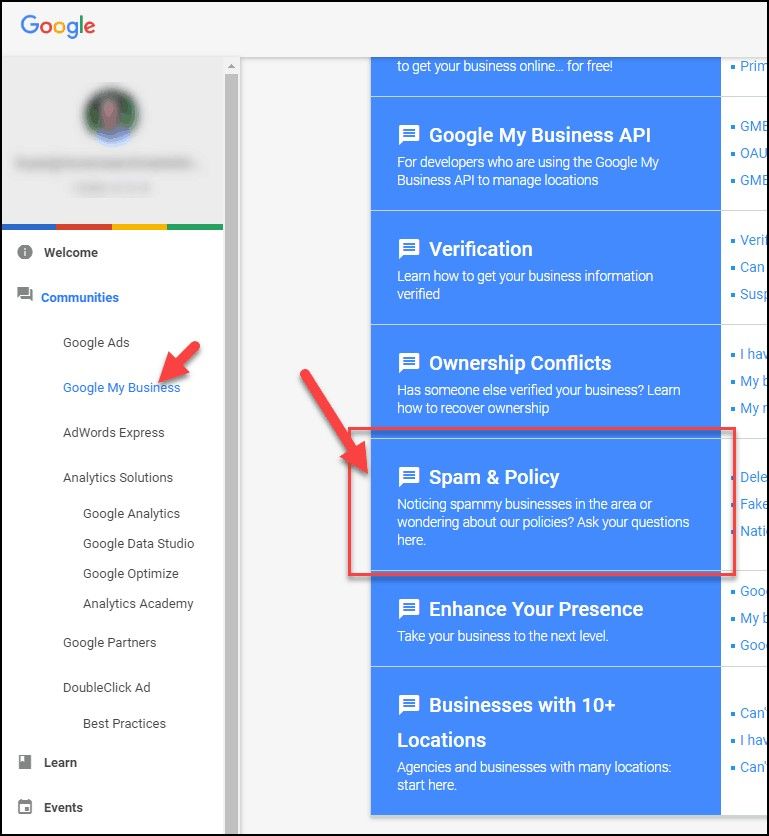
The Google Business Profile Help Community forum is often the fastest path to escalation because Platinum Product Experts have a direct line to Google’s support staff. Post your documented evidence including screenshots, Street View images, dates, and the specific GBP policy being violated, and request escalation. A well-documented forum post typically gets a faster response than a standalone report through the standard form.
What to Do While Waiting for Spam Removal
Google’s response to Google Maps spam reports ranges from days to months. Waiting passively is not a strategy. There is meaningful work to do on your own Google Business Profile and website during this period that improves your competitive position regardless of when the spam is removed.
Strengthen Your Own Google Business Profile
A fully optimized Google Business Profile is harder to displace. Complete every section: business description with relevant keywords used naturally, all applicable primary and secondary categories, full hours including special hours, all service and product listings, Q&A section seeded with your most-asked questions and answers, and a consistent posting schedule.
Photos should include interior, exterior, staff, and work output images updated regularly. Google rewards engagement signals: profiles that receive and respond to reviews, post updates, and answer questions consistently perform better than static ones.
For a full breakdown of how on-page signals interact with GBP performance, see on-page local SEO optimization for local rankings.
Build More Local Citations and Links
While a spam listing is suppressing your map pack rank, competing on citation volume and local link authority is one of the most effective parallel strategies. Every consistent NAP citation across authoritative local directories, every local sponsorship link, and every press mention reinforces Google’s confidence in your business entity and location.
A local SEO profile with strong citation consistency and a diverse set of local backlinks is harder to suppress and recovers faster once spam competitors are removed. For how local authority building signals affect map pack performance, see building a local authority that GEO and AI search trust.
Document Your Rankings Before and During
Track your Google Maps rankings for target keywords at consistent intervals, ideally weekly, during the spam reporting period. Use location-specific rank tracking to capture how your position changes across different points in your service area. This documentation serves two purposes: it shows you which reports are having effect as listings are removed, and it gives you a baseline to measure rank recovery against. For how to track local SEO performance across AI and traditional search, see tracking local SEO performance for GEO across AI search.
What Happens After Spam Is Removed
When a Google Maps spam listing is successfully removed or corrected, your ranking does not always recover immediately. Google’s local ranking algorithm needs to re-index and re-evaluate the competitive landscape without the spam signal. Rank recovery typically follows a predictable pattern.
Immediate Aftermath
In the days following a spam removal, you may see ranking volatility where positions shift up and down as Google recalculates. This is normal. Do not make significant changes to your GBP or website during this period. Let the algorithm stabilize before drawing conclusions about your recovered position.
Two to Four Weeks Post-Removal
Most businesses see measurable rank improvement within two to four weeks of a spam competitor’s removal. The degree of improvement depends on how many spam listings were suppressing your rank and how strong your own local SEO profile is. A business that was already well-optimized typically recovers to a position above where it was before the spam appeared. A business with a thin GBP or weak citation profile may recover to a position similar to the pre-spam baseline.
If Rankings Do Not Recover
If your rankings do not improve meaningfully after spam removal, the spam was not the only factor suppressing your position. This is common: spam removal reveals underlying optimization gaps that were masked by the expectation that spam was the sole problem. The Ad Firm conducts post-removal audits for clients to identify what additional local SEO work is needed and to prioritize the highest-impact improvements.
Work With The Ad Firm on Google Maps Spam and Local SEO Recovery
The Ad Firm’s local SEO services include systematic Google Maps spam identification, documented reporting, and full local SEO recovery strategy. Contact The Ad Firm today to get a competitive audit of your map pack and a clear plan for reclaiming the position your business has earned.
Frequently Asked Questions
Common questions about Google Maps spam reporting and rank recovery.
[H3] How do I report a fake Google Maps listing?
Search the listing on Google Maps, click the three-dot menu on the listing, and select ‘Suggest an edit’ or ‘Report a problem.’ For a more detailed report with supporting evidence, use the Google Business Redressal Form at business.google.com/redressal. For faster escalation, post your documented report in the Google Business Profile Help Community forum where Platinum Product Experts can escalate directly to Google staff.
How long does it take Google to remove a spam listing?
Timeline varies significantly. Simple violations like keyword-stuffed business names are sometimes corrected within a few days. Fake listings with multiple violations and supporting evidence submitted through the Redressal Form typically take one to four weeks. Complex cases involving suspended listings relaunched under new information can take longer and may require forum escalation or direct Google support contact to resolve.
Will removing spam listings automatically improve my ranking?
Removing a spam listing that was outranking you will typically improve your map pack position, but the degree of recovery depends on the strength of your own Google Business Profile and local SEO profile. Businesses with fully optimized GBPs, strong citation profiles, and consistent local link authority recover more completely and more quickly than those with thin profiles. Spam removal reveals your true competitive position, which may still need work.
Can I report a competitor for keyword stuffing their business name?
Yes. Adding category keywords or service keywords to a Google Business Profile name that are not part of the business’s actual registered trading name is a direct violation of GBP guidelines. Report it via ‘Suggest an edit’ on the listing and select ‘Name’ as the field to correct. Provide the business’s actual registered name if you can find it from their website or state business registry. This is one of the most commonly upheld spam reports.
What if Google keeps reinstating a spam listing after I report it?
Persistent spam listings that are removed and reinstated are typically operated by individuals using automated or semi-automated GBP creation tools. Each reinstatement should be reported immediately with the same documentation plus a note that the listing has been previously removed. Posting in the Google Business Profile Help Community with the reinstatement history gives the Platinum Product Experts context to flag the listing for closer review and potentially block the account responsible.