A customer nearby opens Apple Maps or asks Siri for a business like yours. Your name doesn’t come up. Your competitor does.
The issue isn’t your Google ranking. Apple Maps and Siri run on a completely separate data system. When someone searches for a local business on an iPhone, results come from Apple’s own listings, not your Google Business Profile. A business that performs well on Google can still show the wrong hours, a disconnected phone number, or no listing at all to that same customer thirty seconds later on Apple Maps.
This affects more customers than most local businesses expect. iPhone holds a majority of U.S. smartphone market share, and Apple Maps is the default navigation and local search app on every device. A significant portion of your local audience runs high-intent searches your Google optimization never reaches.
If you’ve been treating Apple Maps as a secondary concern, this post covers what changed in 2026, how Apple Maps and Siri decide what to surface, and the specific steps that close the visibility gap as part of a complete Local SEO strategy.
How Apple Maps and Siri Help People Find Local Businesses
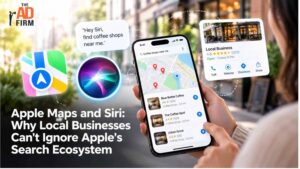
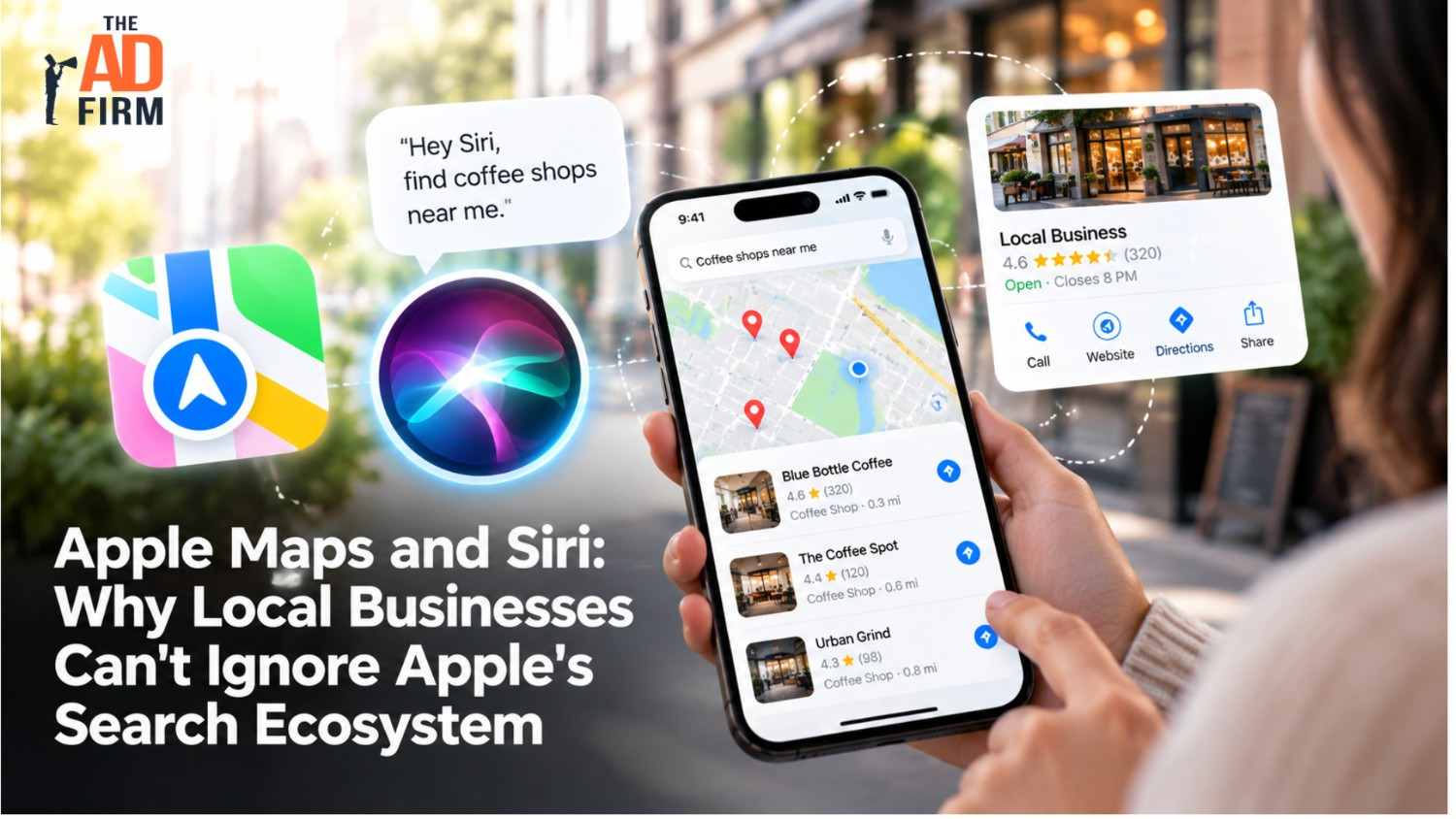
Apple Maps is the default navigation app on iPhone, iPad, Mac, and Apple Watch. Each business on Apple Maps has a place card that shows its name, category, hours, contact details, photos, ratings, and action buttons such as calling, getting directions, or making a reservation. Apple Maps is available on the web at maps.apple.com too, so listings can reach desktop users and people on non-Apple devices.
Siri relies on that same location data. When an iPhone user asks Siri to find a coffee shop, call a locksmith, or get directions to a pharmacy, Siri typically pulls the answer from Apple Maps. Spotlight search on iPhone and Mac draws on the same listings, so one accurate Apple Maps entry supports visibility in several places at once.
Many of these searches happen at the moment someone is ready to act. A driver asking Siri for the nearest auto glass repair shop is not browsing; they want a business they can call or visit right away. CarPlay makes that moment even more direct, putting Apple Maps results on the dashboard while the customer is already on the road.
Apple Intelligence is gradually expanding Siri’s ability to understand natural, conversational requests. As that develops, clear and complete business information becomes even more important for showing up in voice-driven results.
Boost Your Business Growth with The Ad Firm
- PPC: Optimize your ad spends with our tailored PPC campaigns that promise higher conversions.
- Web Development: Develop a robust, scalable website optimized for user experience and conversions.
- Email Marketing: Engage your audience with personalized email marketing strategies designed for maximum impact.
Why Apple’s Ecosystem Matters More in 2026
Apple has made its business tools a bigger priority this year.
In March 2026, Apple announced Apple Business, a free platform that brings Business Connect, Business Essentials, and Business Manager together in one place. It launched globally on April 14, 2026, in more than 200 countries.
Through Apple Business, companies can manage their listings, view location insights, create Showcases, and use branded communications in Mail and Wallet. Apple began rolling out ads in Apple Maps in the U.S. and Canada in August 2026. These ads are targeted by search terms and device location rather than personal browsing history.
For local businesses, these changes mean Apple now offers both organic and paid ways to reach customers inside Maps, and more competitors are likely to start paying attention.
How to Strengthen Your Visibility in Apple Maps and Siri
Most Apple Maps visibility problems come from listings that were never claimed, filled in only partly, or left untouched for years. The steps below cover the essentials, from claiming your business to tracking how customers interact with it.
1. Claim Your Business in Apple Business
The first step is to claim your location through Apple Business. Once verified, you can control the details customers see on your listing instead of relying on whatever information Apple has collected from other sources.
Businesses with multiple locations can manage each branch from a single account, a practical advantage for franchise operators and regional chains.
2. Complete Every Part of Your Place Card
A complete Apple listing gives Apple Maps and Siri more accurate information to work with. Review and fill in:
- Business name and category
- Address and service area
- Phone number and website
- Regular hours and special or holiday hours
- Photos of your storefront, interior, products, or work
- Action links for booking, ordering, or reservations
Categories matter for voice search. If a pet grooming salon is listed only as “pet store,” it may not appear when someone asks Siri for a dog groomer nearby.
3. Use Showcases for Timely Updates
Most customers decide at the map level. They scan a handful of results, look for signals that a business is active and relevant, and tap the one that stands out. Showcases give you a way to influence that decision before anyone clicks through to your website.
Elevate Your Market Presence with The Ad Firm
- SEO: Boost your search engine visibility and supercharge your sales figures with strategic SEO.
- PPC: Target and capture your ideal customers through highly optimized PPC campaigns.
- Social Media: Engage effectively with your audience and build brand loyalty through targeted social media strategies.
Add a seasonal promotion, announce a new service, or flag an upcoming event directly to your Maps entry. A sushi restaurant running a limited omakase series surfaces that offer to customers actively searching for dinner nearby. A garden center promoting spring planting workshops appears at the exact moment someone searches for a nursery down the road.
The window is short and the competition for that click is real. Businesses that keep Showcases current look active and worth choosing. Ones that don’t look like they stopped paying attention.
4. Keep Information Consistent Across Platforms
Apple Maps, Google, Yelp, and industry directories should all show the same business name, address, phone number, and hours. Conflicting details confuse customers and make it harder for search systems to trust any single version.
This is especially important after a change, such as a move, a new phone number, or updated hours. Updating Google but forgetting Apple can send iPhone users to the wrong address.
Read More: How to Handle Suspended or Reinstated Google Business Profiles
5. Pay Attention to Ratings and Reviews
Apple Maps shows ratings from Apple users, and for some business types it displays reviews from third-party partners such as Yelp or Tripadvisor. That means your reputation on platforms outside Google can affect how you look on an iPhone.
Encourage satisfied customers to rate their experience, and keep an eye on the review platforms Apple draws from in your industry. Tracking all of those sources by hand gets difficult quickly, which is where Reputation Management helps, bringing ratings into one view so you can respond consistently.
6. Make Your Website Ready for Mobile and Voice
Most Apple Maps and Siri searches happen on a phone, so the website your listing links to needs to load quickly and work well on small screens. Clear service pages, visible contact details, and simple booking paths help turn a map search into a call or appointment.
Voice queries tend to be conversational, such as “Who fixes cracked phone screens near me?” Website content that answers questions like these in plain language supports how people search with Siri. Getting there usually means pairing a fast, mobile-first web design with Content Marketing built around the questions customers ask out loud.
Streamline Your Digital Assets with The Ad Firm
- Web Development: Build and manage high-performing digital platforms that enhance your business operations.
- SEO: Leverage advanced SEO strategies to significantly improve your search engine rankings.
- PPC: Craft and execute PPC campaigns that ensure high engagement and superior ROI.
Learn More: How to Write a Direct Answer Paragraph That AI Engines Can Extract
7. Track Performance With Location Insights
Apple Business includes location insights that show how customers interact with your listing, such as how often it’s viewed and which actions people take, like tapping for directions, calling, or visiting your website. Review these numbers regularly to see what’s working and where your listing needs attention.
Should You Advertise on Apple Maps?
Apple Maps ads let businesses pay to appear at the top of results when nearby customers search for relevant terms. For crowded categories like locksmiths, plumbers, or restaurants, paid placement closes the gap against competitors with a stronger organic footprint.
The placement is only as strong as the listing behind it. Paying to surface for “emergency plumber” with incorrect hours or a disconnected number turns a high-intent click into a dead end. Get the listing right before committing the budget.
Deciding if Apple Maps ads belong in your paid media mix depends on your category, your market, and what you’re already running on Google. PPC planning for local businesses typically evaluates both channels together rather than in isolation.
Common Apple Maps Mistakes Local Businesses Make
Many businesses lose Apple visibility through small, fixable issues:
- Never claiming the listing: Apple may display outdated or incomplete information collected from other sources.
- Duplicate listings: Old addresses or multiple versions of the same business can split ratings and confuse customers.
- Missing holiday hours: Customers arrive to a closed door, and the frustration often shows up in ratings.
- Wrong category: The business doesn’t appear for the services people actually search for.
- Broken action links: A booking button that leads to an error page loses a ready-to-buy customer.
A quick review of your Apple listing every few months can catch these problems before they cost you customers.
How Apple Fits Into a Broader Local and AI Search Strategy
Customers don’t use just one search tool. The same person might search Google at work, ask Siri while driving, and ask an AI assistant for recommendations later that night.
Each platform draws on its own sources, so a business that is accurate and well reviewed across all of them has more chances to be found. Keeping those sources aligned is the core of Generative Engine Optimization, which connects your website, listings, and third-party profiles so search engines, maps, and AI platforms all describe your business the same way.
Amplify Your Market Strategy with The Ad Firm
- PPC: Master the art of pay-per-click advertising to drive meaningful and measurable results.
- SEO: Elevate your visibility on search engines to attract more targeted traffic to your site.
- Content Marketing: Develop and implement a content marketing strategy that enhances brand recognition and customer engagement.
Related Article: What Is an About Us Page Worth for Local SEO and AI Trust Signals?
Make Sure iPhone Users Can Find Your Business
Right now, iPhone users are searching for businesses like yours on Apple Maps and Siri. If your listing is incomplete, inconsistent, or missing entirely, those searches are going to whoever shows up correctly.
The Ad Firm audits your Apple Maps presence, fixes what’s broken, and builds the listing foundation that local search visibility requires. That work connects directly to your broader SEO, paid campaigns, and the local audience your Google optimization isn’t reaching.
Contact The Ad Firm to see exactly where your Apple Maps listing stands and what to fix first.
Frequently Asked Questions About Apple Maps and Siri for Local Businesses
Is it free to list a business on Apple Maps?
Yes. Claiming and managing your business through Apple Business is free. Apple Maps ads are a separate, paid option.
Does Siri use Google Business Profile information?
No. Siri generally relies on Apple Maps data for local business results, so information on your Google Business Profile does not automatically appear on Apple devices. Your Apple listing needs to be managed separately.
What happened to Apple Business Connect?
In 2026, Apple combined Business Connect with Business Essentials and Business Manager into a single platform called Apple Business. Place card management, Showcases, and location insights are now part of it.
Are Apple Maps ads available everywhere?
No. Apple Maps ads began rolling out in the U.S. and Canada in August 2026. Availability in other countries may come later.
How long does it take for Apple Maps changes to appear?
Updates can take anywhere from a few days to longer, depending on the change and if verification is required. Check your listing after submitting edits to confirm they went through.