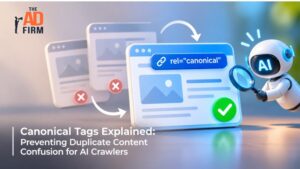
Canonical tags prevent duplicate content confusion by telling crawlers which version of a page is the main one, so search engines and AI tools know which URL to trust, index, and cite. Without that signal, a single page that lives at several addresses can split its authority, waste crawl time, and leave AI systems guessing about which version is correct.
Most websites have more duplicate URLs than their owners realize. Product filters, tracking parameters, print versions, and old HTTP pages can all create copies of the same content. Google has long handled this with canonical signals, and AI crawlers now face the same problem at a much larger scale. Clean canonicals are one of the simplest parts of Technical SEO, and one of the easiest to get wrong.
What Is a Canonical Tag?
A canonical tag is a short line of HTML that tells crawlers which URL is the preferred version of a page when the same or very similar content appears at more than one address. It sits in the page’s head section and looks like this:
<link rel=”canonical” href=”https://www.example.com/blue-running-shoes/” />
If the same product page loads at “example.com/blue-running-shoes/,” “example.com/blue-running-shoes/?color=blue,” and “example.com/shoes?id=482,” each version can point to the first URL as the canonical. Crawlers then treat that one address as the page to index and rank, and they consolidate signals like links toward it.
Google describes a canonical tag as “a strong signal” in its guide to consolidating duplicate URLs. It isn’t a command. Google weighs the tag alongside other signals, such as redirects, internal links, and sitemaps, and can choose a different canonical if those signals disagree.
Why Does Duplicate Content Confuse AI Crawlers?
Duplicate content confuses AI crawlers since they have to decide which version of a page to store, trust, and cite, and conflicting URLs make that decision harder. When several addresses carry the same content, a crawler may spend its visits on copies, pick an outdated version, or split its attention across pages that should count as one.
The scale of crawling makes this worse. A Vercel study reported by Search Engine Journal found that AI crawlers like GPTBot, Claude, PerplexityBot, and AppleBot together made up about 28% of Googlebot’s total crawl volume. That’s a lot of bot traffic arriving at your site, and every request spent on a duplicate URL is one not spent on a page you want represented.
Streamline Your Digital Assets with The Ad Firm
- Web Development: Build and manage high-performing digital platforms that enhance your business operations.
- SEO: Leverage advanced SEO strategies to significantly improve your search engine rankings.
- PPC: Craft and execute PPC campaigns that ensure high engagement and superior ROI.
Wasted Crawl Visits
AI crawlers don’t have unlimited time for any one site. If your store creates hundreds of parameter URLs for the same products, bots can spend their visits on near-identical pages and miss newer or more important content.
The Wrong Version Gets Used
When a crawler sees two versions of a page, it may store the one with outdated pricing, an old product name, or missing details. If an AI tool later pulls from that version, it can repeat information you’ve already changed.
Diluted Authority
Links and mentions spread across several URLs carry less weight than the same signals pointed at one page. Consolidating duplicates helps a single version build the authority that makes it more likely to rank and be cited.
Related Article: Why Some Brands Get Cited by AI and Others Don’t: A Deep Dive
Do AI Crawlers Follow Canonical Tags?
Google uses canonical tags as a strong signal, but most AI companies haven’t published detailed documentation on how their crawlers handle them. That means you can’t count on every AI bot reading a canonical tag the way Googlebot does.
Since you can’t control how each AI bot reads your tags, the practical move is to leave as little room for guessing as possible. Remove duplicate URLs you don’t need, redirect outdated versions, and keep one clear canonical on the pages that remain. The fewer versions an AI crawler finds, the more likely it is to store and cite the right one.
There’s one more AI-specific detail worth knowing. The same Vercel study found that major AI crawlers don’t render JavaScript, even though they download JavaScript files. If your canonical tag is added to the page by a script after it loads, as some site builders and plugins do, AI crawlers may never see it. Canonical tags should appear in the page’s original HTML, where every crawler can read them.
Read More: AI Bots Are Already Crawling Your Website. Is Your Technical Setup Ready for What They Find?
When Should You Use a Canonical Tag?
You should use a canonical tag whenever the same or nearly the same content can be reached at more than one URL, and you want to keep those URLs live rather than redirect them. Common situations include:
- URL parameters: Sorting, filtering, color, size, and tracking parameters (like “?utm_source=”) create new URLs for the same content.
- Product variations: One product sold in several sizes or colors, each with its own URL but nearly identical descriptions.
- HTTP and HTTPS, or www and non-www: If more than one version of your domain loads, each page exists twice or more.
- Print or AMP versions: Alternate formats of the same article.
- Syndicated content: Articles republished on partner sites, where the original publisher wants credit for the source.
- Similar location or service pages: Pages that share most of their wording, where one version should carry the authority.
For that last case, a canonical isn’t always the best fix. If each location page serves a real purpose, it’s usually better to make each one unique with local details. Local SEO and Content Marketing can help turn thin, copied pages into pages that deserve to rank on their own.
Enhance Your Brand Visibility with The Ad Firm
- SEO: Enhance your online presence with our advanced SEO tactics designed for long-term success.
- Content Marketing: Tell your brand’s story through compelling content that engages and retains customers.
- Web Design: Design visually appealing and user-friendly websites that stand out in your industry.
Canonical Tags vs. Redirects
A redirect sends visitors and crawlers from one URL to another, so the old URL effectively stops existing. A canonical tag keeps both URLs live for visitors but tells crawlers which one to treat as the main version. Google treats both as reliable indicators of preferred URLs.
Use a redirect when the duplicate page has no reason to exist, such as an old URL after a site move. Use a canonical when the duplicate needs to stay accessible, such as a filtered product view that shoppers still use.
Canonical Tags vs. Noindex
A noindex tag removes a page from search results entirely. Google doesn’t recommend using noindex to pick a canonical within a site, since it completely blocks the page from Search instead of passing its signals to the preferred version. The same goes for robots.txt. Google notes that disallowed URLs can still be indexed without their content, so robots.txt isn’t a reliable way to handle duplicates.
How Do You Add a Canonical Tag Correctly?
You add a canonical tag correctly by placing one rel=”canonical” link in the head of each page, using the full absolute URL of the preferred version, and making sure the rest of your site points to that same URL. A few practices keep your tags clean.
Use Absolute URLs
Write the full address, including “https://” and the domain, rather than a relative path like “/blue-running-shoes/.” Google supports relative paths but says they can cause problems over time.
Add Self-Referencing Canonicals
Every main page should include a canonical tag that points to itself. This removes doubt when tracking parameters or other variations get added to the URL later. It matters for AI search too. Links to your pages often get shared with tracking codes attached, and AI crawlers can pick up those versions. A self-referencing canonical on the clean page points them back to the URL you want stored and cited.
Put the Tag in the Original HTML
Serve the canonical tag in the page’s HTML from the server rather than adding it with JavaScript. This helps AI crawlers that don’t render scripts see the same signal Googlebot does. A well-built web design handles this at the template level, so every new page gets the right tag automatically.
Keep Every Signal Consistent
Your canonical tag, internal links, XML sitemap, and redirects should all point to the same URL. Google specifically warns against naming different canonicals for the same page through different methods. Mixed signals are one of the most common reasons search engines ignore a canonical tag.
Maximize Your Online Impact with The Ad Firm
- Local SEO: Capture the local market with strategic SEO techniques that drive foot traffic and online sales.
- Digital PR: Boost your brand’s image with strategic digital PR that connects and resonates with your audience.
- PPC: Implement targeted PPC campaigns that effectively convert interest into action.
Use One Canonical Per Page
Multiple canonical tags on the same page, often added by competing plugins, send conflicting instructions. Search engines may ignore all of them when that happens.
What Are the Most Common Canonical Tag Mistakes?
The most common canonical tag mistakes are listing non-canonical pages in your sitemap, pointing canonicals at pages that redirect or return errors, and setting every page’s canonical to the homepage. These errors are more widespread than many site owners expect.
In SE Ranking’s 2025 analysis of more than 418,000 website audits, about 11% of sites listed non-canonical pages in their XML sitemaps, and about 5% had identical content across different pages. Each of these issues sends crawlers mixed signals about which URLs matter.
Other mistakes to watch for:
- Canonicals pointing to redirected or broken pages: The preferred URL should load directly with a 200 status code.
- Every page canonicalized to the homepage: This tells crawlers that your service and product pages aren’t worth indexing.
- Paginated pages all pointing to page one: Page two and three of a category usually contain different products and should have their own self-referencing canonicals.
- Canonical chains: Page A points to page B, which points to page C. Point every duplicate straight to the final version.
- Canonicals on staging or development URLs: Tags copied from a test site can point live pages to addresses that don’t exist.
- Canonicals that conflict with hreflang: On sites with several language or regional versions, each version should have a self-referencing canonical and use hreflang tags to point to the others. Pointing every language version’s canonical to one page can keep the other versions out of search results.
How Do You Check If Your Canonical Tags Are Working?
You check if your canonical tags are working by comparing the canonical you declared with the one search engines actually chose. Google Search Console’s URL Inspection tool shows both the user-declared canonical and the Google-selected canonical for any page you test.
If the two don’t match, Google has decided another URL is a better fit. That usually means your signals conflict, the pages aren’t true duplicates, or the preferred version has a problem, such as weaker content or fewer internal links.
Advance Your Digital Reach with The Ad Firm
- Local SEO: Dominate your local market and attract more customers with targeted local SEO strategies.
- PPC: Use precise PPC management to draw high-quality traffic and boost your leads effectively.
- Content Marketing: Create and distribute valuable, relevant content that captivates your audience and builds authority.
A few other checks help:
- Run a site crawl: Crawling tools flag missing, duplicate, and conflicting canonical tags across your whole site.
- View the page source: Confirm the canonical appears in the original HTML, not only after scripts run.
- Review your sitemap: Make sure it lists only canonical URLs.
- Test AI tools directly: Ask ChatGPT, Gemini, or Perplexity about your products or services, and see which URLs they cite. If they point to parameter URLs or outdated pages, your canonical signals may need work.
Search engines and AI tools change over time, so canonical checks belong in a regular technical audit rather than a one-time fix. AI SEO builds those checks into a broader plan for how your site appears in AI-generated answers.
Further Reading: How to Monitor If AI Engines Are Citing Your Brand
Give Every Crawler a Clear Signal
Duplicate URLs are easy to create and easy to overlook, but they make it harder for search engines and AI tools to understand which pages matter. When The Ad Firm audits a site, duplicate parameter URLs, sitemaps that list non-canonical pages, and competing canonical tags from plugins are among the first issues we check. The Ad Firm helps businesses audit their canonical tags, fix conflicting signals, and build a technical foundation that both Googlebot and AI crawlers can read clearly.
Contact The Ad Firm to find out where duplicate content may be confusing crawlers on your site and which fixes to tackle first.
Frequently Asked Questions About Canonical Tags and AI Crawlers
Does duplicate content cause a Google penalty?
Usually not. Google generally picks one version to show and filters out the rest. The real cost is diluted signals and wasted crawl visits, not a penalty, unless the duplication is part of a deliberate attempt to manipulate rankings.
Can I use a canonical tag across different domains?
Yes. Publishers often use cross-domain canonicals when content is republished on another site, so the original source gets credit. The partner site adds a canonical tag that points back to the original article.
Should every page have a canonical tag?
Yes. Adding a self-referencing canonical to every main page is a simple safeguard against duplicate URLs created by parameters, tracking codes, or session IDs.
Does llms.txt replace canonical tags for AI crawlers?
No. An llms.txt file is an optional summary some sites use to point AI tools toward useful pages, and not all crawlers follow it. Canonical tags remain the standard way to tell crawlers which version of a page is the main one.
Transform Your Online Strategy with The Ad Firm
- SEO: Achieve top search rankings and outpace your competitors with our expert SEO techniques.
- Paid Ads: Leverage cutting-edge ad strategies to maximize return on investment and increase conversions.
- Digital PR: Manage your brand’s reputation and enhance public perception with our tailored digital PR services.
How long does it take for canonical changes to take effect?
It depends on how often crawlers revisit your pages. Changes on frequently crawled pages can be picked up within days, and less active pages may take several weeks. You can request indexing in Google Search Console to speed up a recrawl for important URLs.