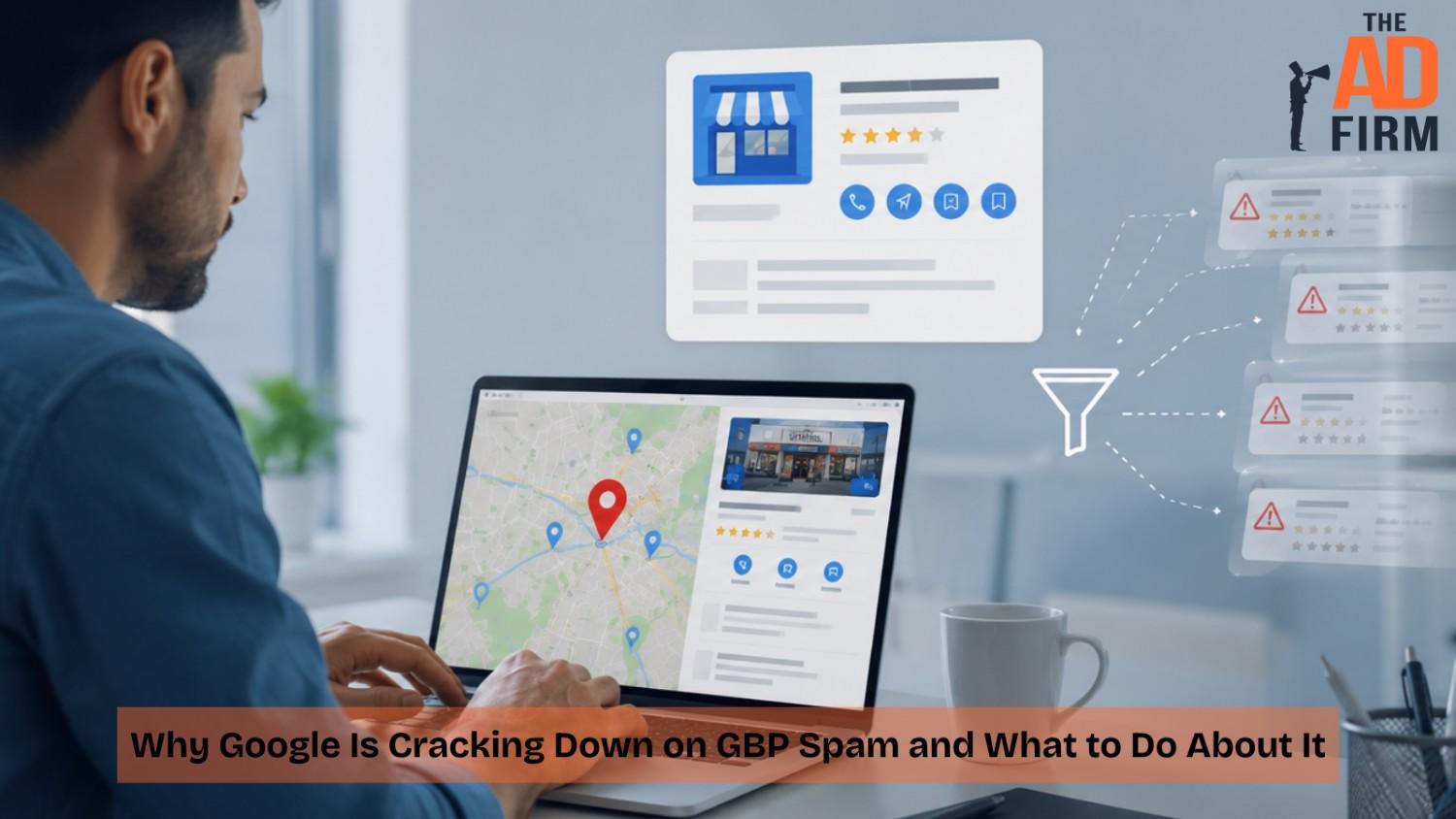
Google’s local results depend on businesses representing themselves truthfully. Spam profiles include information that does not reflect reality, and Google has responded by enforcing its Business Profile guidelines more aggressively.
That consistency has a measurable basis. Fake reviews on Google Maps increased 21 percent year over year in 2025, according to Google’s own data, prompting the company to integrate Gemini-powered pre-publication detection into its moderation systems and tighten its Maps Rating Manipulation policy twice within a 48-hour window in April 2026. Google’s 2025 Trust and Safety Report put the enforcement scale in concrete terms: more than 292 million policy-violating reviews were blocked or removed in a single year.
For any business that depends on local SEO, understanding what now falls outside these guidelines and what a properly maintained profile looks like is practical knowledge worth having.
Why Does Google Care So Much About Business Profile Accuracy?
The guidelines themselves have not changed much. What changed is Google’s ability to detect manipulative signals and evaluate profile quality at scale.
Accurate Business Information Supports Local Search
Google’s Business Profile Help documentation clearly states its objective: to help customers find and connect with businesses. Profiles with misleading names, outdated hours, or inconsistent contact details create friction in that process.
When Google surfaces a listing in Maps or local results, it relies on the information in that profile to match the searcher with the right business. Listings that misrepresent their name, location, or services undermine that match. The guidelines consistently prioritize signals confirming that a business is operating at the listed address and offering what it claims to provide.
Read More: Your Google Business Profile Is Now Your Homepage
Business Profile Quality in an AI-Powered Search Environment
As Google expands AI-powered search features, Business Profile data feeds more surfaces than the Map Pack alone. A profile with an incorrect category, conflicting location details, or a misleading name carries that error into every one of them.
The fix is unglamorous: a profile built on verified hours and precise service categories gives Google’s algorithms usable material when they assemble a local response.
Streamline Your Digital Assets with The Ad Firm
- Web Development: Build and manage high-performing digital platforms that enhance your business operations.
- SEO: Leverage advanced SEO strategies to significantly improve your search engine rankings.
- PPC: Craft and execute PPC campaigns that ensure high engagement and superior ROI.
What Does Google Consider GBP Spam?
The Business Profile policies identify several categories of prohibited behavior. The most commonly violated ones involve misrepresentation, fake engagement, and manipulation of business information. Enforcement pressure is not evenly distributed either. Locksmiths, plumbers, garage door companies, movers, and legal and health practices operate in categories where spam has been most endemic, and businesses in those verticals tend to face closer scrutiny than a boutique retailer would. Here is what each violation category covers in practice.
Misleading Business Names and Keyword Stuffing
The guidelines require a business name to match the name it actually operates under: the name on its signage, legal registration, and customer-facing materials. Adding service keywords, city names, or ranking terms to the name field is a documented violation.
A locksmith listing itself as “FastKey Locksmith Emergency 24/7 Dallas TX” in Google Maps is not following that rule. An HVAC company registered as “Smith HVAC Best Air Conditioning Repair Denver” faces the same issue. Both violate Google’s guidelines.
Virtual Offices and Misconfigured Service Areas
Address violations are the single largest trigger for suspensions. Sterling Sky’s analysis of suspended profiles found that 42 percent involved address verification failures, well ahead of business name issues at 28 percent and review manipulation at 17 percent.
Two patterns account for most of them. The first is listing a co-working desk, mailbox rental, or virtual office as a business location. Google requires staffed signage and physical operation at the listed address, so a rented mailbox will not survive verification. The second involves service-area businesses. A plumber working out of a home does need to hide that address, and Google supports that, but the service area itself must reflect where the business genuinely operates. Claiming a 90-mile radius from a home base to capture more markets is a misrepresentation, and Google has become efficient at identifying it.
Fake and Incentivized Reviews
Google prohibits fake reviews, paid reviews, and reviews posted from accounts with no prior activity. Velocity spikes, clusters of feedback posted in a short window, and templated phrasing across multiple accounts are among the signals Google’s moderation systems may weigh when assessing authenticity.
Elevate Your Market Presence with The Ad Firm
- SEO: Boost your search engine visibility and supercharge your sales figures with strategic SEO.
- PPC: Target and capture your ideal customers through highly optimized PPC campaigns.
- Social Media: Engage effectively with your audience and build brand loyalty through targeted social media strategies.
Consumers increasingly recognize inauthentic patterns, and a sudden spike of generic five-star reviews often raises more questions than it resolves.
Duplicate Listings and Inconsistent NAP Details
One profile per business location or service area is the documented standard. Duplicate listings typically appear when a business relocates and creates a new profile rather than updating the existing one, or when third-party directories generate listings without owner input.
NAP mismatches create a separate but compounding problem. Different phone numbers, addresses, or business names across platforms leave Google and potential customers holding conflicting versions of the same business. The website belongs in that check too, since Google reads the site a profile points to: a footer NAP or LocalBusiness schema carrying an old suite number contradicts the profile at the source Google trusts most.
What Does a Guideline-Compliant Google Business Profile Look Like?
Google’s documentation describes what high-quality, policy-aligned profiles have in common. Several elements come up consistently.
Verification and Complete Business Information
Video verification is now the default for most new profiles and for profiles Google flags for re-verification. Google prompts for a single continuous recording, shot on a phone during the verification flow, showing the street number, entry to the premises, operational evidence such as equipment or branded materials, and exterior signage displaying the business name. That signage is the most common pass-fail point, since printed or temporary signs are frequently rejected and permanent ones are not. Pre-recorded uploads and edited footage fail automatically. Postcard verification remains a fallback, with codes arriving in 5 to 14 days and expiring after 30 days. Phone, email, and Search Console instant verification remain open to a narrower set of qualifying businesses.
Multi-location businesses should create and verify a profile for each site, populated with details specific to that location rather than a template copied across markets.
Genuine Customer Reviews and Active Responses
Google’s documentation confirms that high-quality, positive reviews improve a business’s visibility in local search results, and businesses with strong review profiles and active response histories tend to rank higher in Map Pack results.
Amplify Your Market Strategy with The Ad Firm
- PPC: Master the art of pay-per-click advertising to drive meaningful and measurable results.
- SEO: Elevate your visibility on search engines to attract more targeted traffic to your site.
- Content Marketing: Develop and implement a content marketing strategy that enhances brand recognition and customer engagement.
Pace matters as much as volume. Feedback earned steadily from real customers outperforms a batch of similar reviews posted in one week. Responding to them, positive and critical alike, signals to Google an engaged business and reassures the customer reading before they call.
Profile Activity and Current Photos
Posts, offers, and event announcements help demonstrate that the business is active and give customers fresh information about what is available. A profile that hasn’t been updated in months may appear outdated to users comparing options on Maps.
Fresh photos strengthen the listing’s appeal and show customers what the business looks like today. Authentic images of the actual location, team, or completed work tend to be more useful than stock imagery.
Category Accuracy and Service Relevance
Primary category selection has a documented impact on which searches a profile can appear for. The most precise, relevant category outperforms a broader one. A pediatric dentist using “Dentist” as a primary category is less likely to appear for searches like “pediatric dentist near me” than one using “Pediatric Dentist.”
The services and products fields work the same way at a finer grain, narrowing the queries a listing qualifies for. Businesses spanning several service lines have the most to gain here and the most to lose by leaving the fields half-filled.
How Profile Content Shapes Your Map Pack Snippet
Google often appends a short line of text beneath a Map Pack listing explaining why that business matched the query. These are called local justifications, and they get pulled from reviews, recent posts, the services listed on the profile, or the website the profile points to. A search for “emergency drain cleaning” might surface a snippet quoting a customer review that used that exact phrase, or a note that the business website mentions the service.
Justifications do not lift rankings. Their value is click-through: two businesses in the same Map Pack look meaningfully different when one carries a relevant snippet and the other carries nothing. They cannot be added manually, though profile content influences them. Reviews describing specific services, posts written around a single topic rather than a list of everything offered, and a fully populated services section all give Google usable material. The same rule cuts both ways, since Google can pull from any review that matches the query, including a critical one.
Strengthen Your Online Authority with The Ad Firm
- SEO: Build a formidable online presence with SEO strategies designed for maximum impact.
- Web Design: Create a website that not only looks great but also performs well across all devices.
- Digital PR: Manage your online reputation and enhance visibility with strategic digital public relations.
What Happens When Google Flags Your Business Profile?
Businesses that violate these policies can face suspension. Understanding the difference between suspension types and how to address each one is useful for any business that depends on local search visibility.
What Happens if Your Google Business Profile Gets Suspended?
A soft suspension keeps the business’s profile visible on Google Maps and Search. Still, it removes the owner’s ability to manage, edit, or respond to reviews until the underlying issue is resolved. Resolving the issue and submitting a reinstatement request through Google’s support process is the standard path to restoring full management access.
A hard suspension removes the profile entirely from Maps and Search. These follow more serious or repeated violations. The correct first step is to address the underlying issue and file a formal reinstatement request with supporting documentation. Building a new profile is a last resort and can carry its own risks if the original violations are not fully resolved first.
How to Prepare a Reinstatement Package That Works
Most reinstatement requests fail on documentation quality rather than eligibility. Fix the violation before submitting anything, then assemble the package with the same care Google’s reviewers apply:
- Match the business name on your license, utility bill, and profile exactly. A DBA on the profile and a legal entity name on the license reads as a mismatch, so include both documents when they differ and explain the relationship.
- Photograph permanent exterior signage with the street number visible in the same frame. Reviewers are confirming the business exists where the profile claims it does, and a sign photographed in isolation proves nothing about its location.
- Include a utility bill or lease dated within the last 90 days. Older documents raise questions about the business still operating there.
- Name your files descriptively before uploading. “Exterior-signage-123-Main-St.jpg” moves faster through review than “IMG_4471.jpg.”
- Write a short cover explanation stating what the violation was and what you corrected. Reviewers process a large volume of appeals, and a request that identifies its own fix is easier to approve than one that leaves them guessing.
- Avoid editing the profile during the review period. Changes mid-review can reset or complicate the process.
What About Edits Google Makes on Its Own?
Not every compliance problem starts with the business. Google actively modifies profiles using third-party data, Street View imagery, web crawls, and edits suggested by the public, and trusted suggestions can go live without notifying the owner first.
Advance Your Digital Reach with The Ad Firm
- Local SEO: Dominate your local market and attract more customers with targeted local SEO strategies.
- PPC: Use precise PPC management to draw high-quality traffic and boost your leads effectively.
- Content Marketing: Create and distribute valuable, relevant content that captivates your audience and builds authority.
That means a profile that was compliant in March can drift out of compliance by June without anyone touching it. Categories get swapped, hours get changed based on crowdsourced input, and addresses get reformatted. The business carries the consequences either way, which is the practical argument for reviewing the profile on a schedule rather than waiting for a ranking drop to prompt a look.
Reporting Competitor Spam in Maps
Businesses that spot a competitor listing appearing to violate the guidelines have two options:
- Suggest an edit: Use the “Suggest an edit” function on the listing to report inaccurate information, such as a keyword-stuffed name or an incorrect category. This is the recommended first step for straightforward corrections.
- Business Redressal Complaint Form: Submit a formal report for serious fraudulent activity, including fake listings, addresses that do not correspond to real locations, or listings that did not change after a suggested edit. The form covers complaints related to business name, address, phone number, and website.
Set expectations before you file. Suggested edits can be resolved within a few days or sit indefinitely, and Google does not report outcomes. Redressal submissions typically take several weeks and produce no confirmation beyond an acknowledgment. Reports fail most often because the evidence is thin, so including screenshots with visible dates, the listing’s Maps URL, and a specific citation of the guideline being violated meaningfully improves the odds. Corrected listings do sometimes revert, particularly when the operator is running spam at scale, and re-reporting with fresh evidence is the appropriate response. Reports should be based on verifiable information, since inaccurate complaints can reflect negatively on the account making them.
How Do You Keep Your Google Business Profile Safe Long-Term?
Maintaining a compliant profile is less involved than recovering a suspended one. Two habits make the most meaningful difference.
How to Keep Your Profile Protected Long-Term
A consistent monthly review should cover:
- Business name: confirm it matches real-world branding exactly
- Primary and secondary categories: check for any auto-applied suggestions
- Address, phone number, and website URL: check these against every platform carrying them, including the NAP and schema markup on your own site
- Hours: update for any changes, including holiday hours
- Services and products: reflect additions or discontinued offerings
- Recent reviews: confirm responses are posted, and nothing new is sitting unanswered
- Photo library: add new images if the most recent ones are dated
- Pending Google suggestions: review and accept or reject each one deliberately
Doing this consistently is what separates profiles that hold visibility from profiles that quietly lose it. It is the work most businesses postpone, which is why our team has built profile monitoring into how we manage local search for clients.
Boost Your Business Growth with The Ad Firm
- PPC: Optimize your ad spends with our tailored PPC campaigns that promise higher conversions.
- Web Development: Develop a robust, scalable website optimized for user experience and conversions.
- Email Marketing: Engage your audience with personalized email marketing strategies designed for maximum impact.
Read More: Google’s Google Business Profile Crackdown: What Small Businesses Need to Fix Now
Keep Every Signal Current
The businesses that encounter the fewest policy issues treat the profile as an ongoing responsibility rather than a one-time setup.
That is the whole difference. As Google keeps refining how it evaluates Business Profiles, the ones maintained on a schedule compound visibility. The ones left alone spend that time defending it instead.
Frequently Asked Questions About Google Business Profile Spam
Can I use a virtual office or co-working address on my Google Business Profile?
No. Google requires a physical location with staffed signage during stated business hours. Mailbox rentals, virtual offices, and unstaffed co-working desks do not qualify, and address violations are the most common trigger for suspension. Service-area businesses without a storefront should hide the address and set a service area matching where they genuinely operate.
What does Google’s video verification require?
A single continuous recording, captured on a phone within the verification flow, showing exterior signage displaying your business name, the street number, entry into the premises, and operational evidence such as equipment or branded materials. Edited footage and pre-recorded uploads get rejected. Permanent signage that exactly matches your profile name is the most common pass-fail point.
How do I report a fake business listing on Google Maps?
Start with the “Suggest an edit” function on the listing for name or detail inaccuracies. For serious violations, including fake businesses, fraudulent addresses, or listings unchanged after a suggested edit, submit a Business Redressal Complaint Form. Provide verifiable evidence, including screenshots and the listing’s Google Maps URL, with each submission.
How long does Google Business Profile reinstatement take?
Soft suspension appeals can resolve in a few days once the underlying issue is corrected. Hard suspension appeals typically take 1 to 4 weeks, depending on the quality of the documentation and Google’s current review backlog. Submitting incomplete documentation significantly delays the process.
Can keyword stuffing my business name on Google get my profile suspended?
Yes. The guidelines require business names to reflect real-world branding only. Adding service keywords, city modifiers, or ranking terms goes against that standard. When Google detects this pattern, it may automatically correct the name, reduce the profile’s visibility, or suspend the listing entirely.
Maximize Your Online Impact with The Ad Firm
- Local SEO: Capture the local market with strategic SEO techniques that drive foot traffic and online sales.
- Digital PR: Boost your brand’s image with strategic digital PR that connects and resonates with your audience.
- PPC: Implement targeted PPC campaigns that effectively convert interest into action.
Work With a Team That Understands Google’s Standards
Managing a Business Profile well is straightforward in principle but time-intensive in practice, particularly for multi-location businesses that maintain individual profiles across many markets. Monitoring for unauthorized edits, staying on top of policy updates, and keeping every listing in good standing requires ongoing attention.
The Ad Firm’s SEO services cover profile management, citation consistency, review strategy, and monitoring as part of a coordinated approach to local visibility. If you are not confident that your profile is fully compliant and performing as it should, our team of SEO experts can audit it against Google’s current guidelines, identify gaps, and build a clear action plan tailored to your market. Contact us today for a free site evaluation.