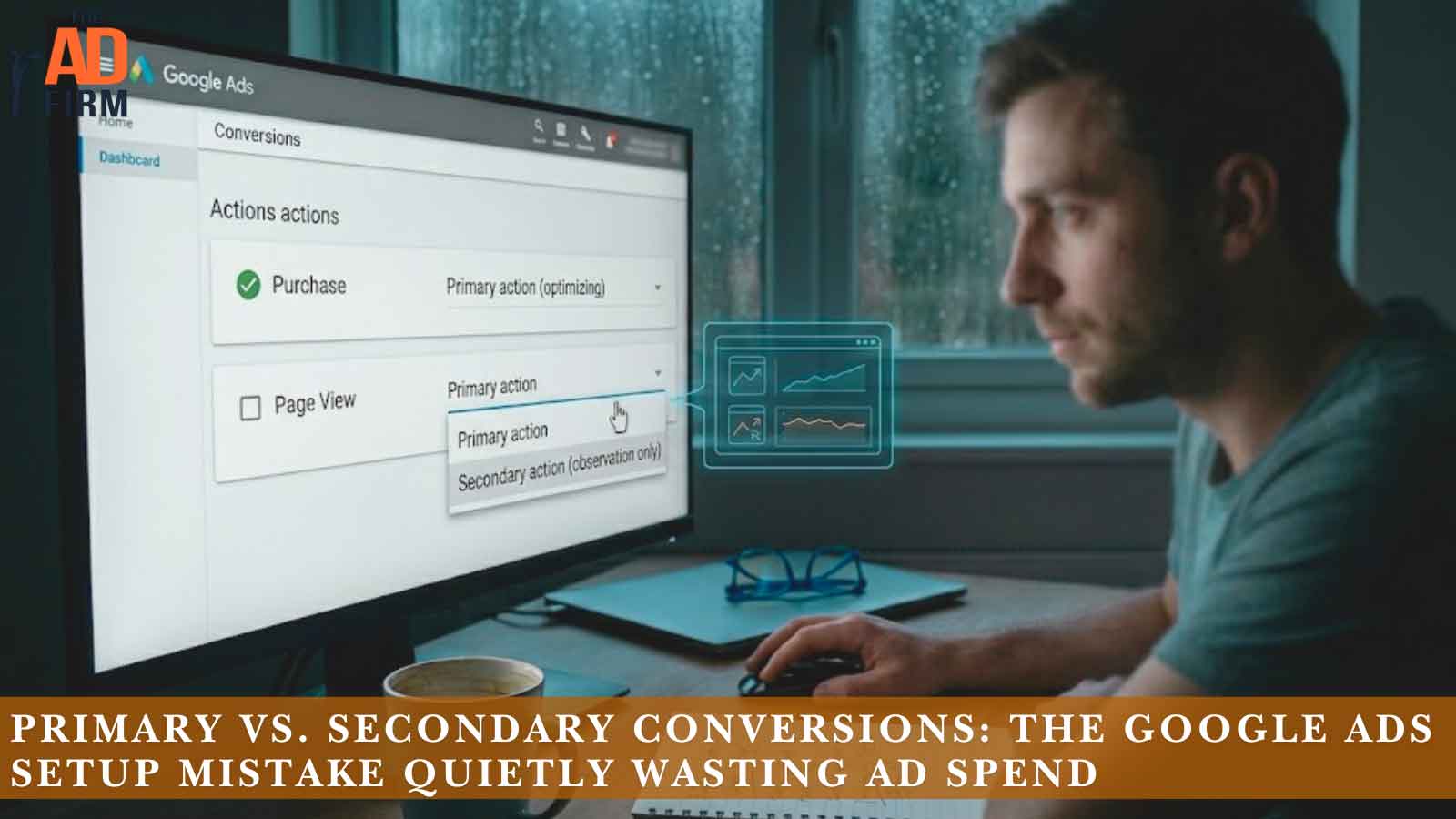
Your Google Ads dashboard says the campaign is crushing it. Conversions are up, cost per conversion is down, and Smart Bidding looks like it earned its keep. Then sales tells you the phone has been quiet for three weeks.
That gap usually comes down to one setting most advertisers configure once and never revisit: how each conversion action is marked, primary or secondary. Looks like a minor toggle buried in the account settings. In reality, it’s the instruction manual your entire bidding strategy follows. Get it wrong and Google will spend your budget aggressively, efficiently, and on entirely the wrong outcomes.
Most accounts have this misconfigured and don’t know it. The reporting still looks clean, the algorithm keeps optimizing, and the damage compounds month after month. When the wrong actions carry primary status, you’re not just tracking the wrong thing. You’re paying for it.
What Primary and Secondary Conversions Actually Control
Every conversion action in your account (purchases, form fills, calls, newsletter signups, PDF downloads) gets one of two designations.
- Primary conversions do two things. They count in your “Conversions” column, and they feed Smart Bidding. When you run Maximize Conversions, Target CPA, or Target ROAS, the algorithm optimizes toward your primary actions. Nothing else.
- Secondary conversions are observation only. They show up in the “All conversions” column so you can monitor them, but they don’t influence bidding and don’t inflate your main reporting.
That’s the whole distinction, and it’s why the stakes are high. The primary designation isn’t a labeling preference. It is a direct instruction to Google’s bidding system: spend money to get more of this. Google’s own documentation on setting up conversion goals confirms that only primary actions are used for bidding optimization.
One more wrinkle catches people off guard. Conversion goals in Google Ads are grouped into categories like Purchase, Lead, or Page View, and account-default goals apply across every campaign unless you override them at the campaign level. So a stray primary conversion action doesn’t just affect one campaign. It can quietly steer your whole account.
ALSO READ: Consent Mode Made Simple: How Google’s Update Affects Your Analytics and Ad Data
Transform Your Online Strategy with The Ad Firm
- SEO: Achieve top search rankings and outpace your competitors with our expert SEO techniques.
- Paid Ads: Leverage cutting-edge ad strategies to maximize return on investment and increase conversions.
- Digital PR: Manage your brand’s reputation and enhance public perception with our tailored digital PR services.
How the Wrong Setting Wastes Your Budget
Marking the wrong actions as primary creates two separate problems that tend to run in parallel. Your budget starts flowing toward low-value outcomes, and your reporting stops reflecting reality. Both happen without a single alert from the platform.
Smart Bidding Chases the Wrong Goal
Smart Bidding is single-minded. It doesn’t know that a $4,000 service contract matters more than a newsletter signup. It only knows what you’ve marked as primary, and it will find the cheapest possible path to more of it.
Say you sell custom cabinetry and your primary conversions include both “quote request” and “brochure download.” Brochure downloads are easier and cheaper to generate, so the algorithm shifts budget toward the audiences, keywords, and times of day that produce downloads. Your conversion volume climbs. Your quote requests a stall. You’re paying real money to collect email addresses from people researching a someday project.
The damage compounds because Smart Bidding learns. Every cheap, low-value conversion reinforces the pattern. Marking upper-funnel micro conversions as primary trains the algorithm to prioritize clicks over revenue. After a few weeks, it has rebuilt your targeting around the wrong outcome, and unwinding it takes time even after you fix the setting.
Your Reports Look Better Than Your Business
The second cost is harder to see: corrupted decision-making. When micro actions sit in your Conversions column, your cost per conversion looks artificially low. A campaign reporting a $12 CPA feels like a winner. Strip out the page-view and button-click “conversions” and the real cost per lead might be $180.
That inflated number cascades. You scale the wrong campaigns. You pause keywords that were actually driving sales but looked expensive next to the click-collectors. You report numbers to leadership that don’t match revenue, and eventually someone asks why the marketing dashboard and the bank account tell different stories.
If your conversion volume looks healthy but revenue doesn’t move, this setting should be the first place you look.
ALSO READ: Google Local Service Ads Supporting Local SEO Growth
The Most Common Misconfigurations We Find in Audits
After auditing hundreds of accounts, a few patterns show up again and again.
Maximize Your Online Impact with The Ad Firm
- Local SEO: Capture the local market with strategic SEO techniques that drive foot traffic and online sales.
- Digital PR: Boost your brand’s image with strategic digital PR that connects and resonates with your audience.
- PPC: Implement targeted PPC campaigns that effectively convert interest into action.
- Everything is set to primary. This is the default behavior when someone creates conversion actions without thinking through the hierarchy. Purchases, signups, scroll-depth events, and outbound clicks all compete as equals in the eyes of Smart Bidding.
- Imported GA4 events left as primary. When you import events from Google Analytics 4, it’s easy to bring in engagement events (video plays, file downloads, session milestones) and leave them with primary status. GA4 imports are the single biggest source of conversion inflation we see.
- Duplicate tracking counted twice. A purchase tracked through both the Google Ads tag and a GA4 import, with both marked primary, doubles your reported conversions and halves your apparent CPA. The account looks twice as efficient as it is.
- Phone calls of any length counted as primary. A 10-second wrong number and a 12-minute sales call both register as conversions unless you set a minimum call duration.
- Old conversion actions never retired. That lead form you removed from the site two years ago may still exist as a primary action, muddying historical comparisons.
None of these errors throw a warning. The account keeps running, the dashboard keeps reporting, and the waste accumulates quietly month after month.
How to Audit Your Conversion Actions in 10 Minutes
You don’t need an agency to spot the problem. Run this check on your own account:
- Open Goals, then Conversions, then Summary. This lists every conversion action in the account.
- Scan the “Action optimization” column. Anything marked Primary is feeding your bidding. Ask one question for each: would I pay money for this action by itself? If the honest answer is no, it shouldn’t be primary.
- Compare your “Conversions” and “All conversions” columns. A large gap is normal if you deliberately track secondary actions. A small gap with lots of conversion actions usually means too many things are set to primary.
- Check conversion sources. Look for the same event tracked through both the Google Ads tag and a GA4 import. Pick one source for bidding and demote or remove the duplicate.
- Review the “Last conversion” date. Actions that haven’t fired in months are clutter. Remove them or mark them secondary so they stop confusing analysis.
- Look at value settings. If every conversion carries the same default value, Target ROAS treats a $20 sale and a $2,000 sale identically.
If step 2 makes you wince, you’ve found your budget leak.
Streamline Your Digital Assets with The Ad Firm
- Web Development: Build and manage high-performing digital platforms that enhance your business operations.
- SEO: Leverage advanced SEO strategies to significantly improve your search engine rankings.
- PPC: Craft and execute PPC campaigns that ensure high engagement and superior ROI.
Which Conversions Should Be Primary?
The rule is simple to state: primary status belongs to actions with direct revenue impact, the outcomes you’d report to a CFO. Set macro conversions like purchases and qualified leads to primary, and move micro conversions to secondary. That single change is often the fastest ROI improvement available in an account.
For most lead generation businesses, that means qualified form submissions and phone calls over a minimum duration. For ecommerce, it means purchases, and in some cases begin-checkout if purchase volume is too thin for Smart Bidding to learn from. Online stores juggling dozens of conversion events across shopping campaigns face their own version of this problem, which is exactly what a structured ecommerce PPC management approach is built to solve.
A useful test: if Smart Bidding delivered 500 more of this action next month and nothing else changed, would the business be better off? A purchase passes instantly. A pricing-page view does not.
Volume matters too. Smart Bidding needs enough conversion data to learn, ideally 30 or more conversions per month for Target CPA. If your true revenue event is rare, you may need to make a high-intent mid-funnel action primary temporarily. That’s a deliberate strategic choice, not an accident, and it should be revisited as volume grows.
ALSO READ: PPC Ad Copy That Stands Out in Crowded Search Results
When Secondary Conversions Are Worth Keeping
Demoting an action to secondary doesn’t mean deleting it. Secondary conversions are genuinely useful when used as designed.
They let you watch the full funnel without distorting it. Tracking add-to-carts, key page views, and email signups as secondary actions shows you where prospects drop off, which feeds smarter landing pages and offers decisions. That diagnostic data is the raw material for conversion rate optimization work, where small funnel improvements often beat any bidding tweak.
Secondary actions also build remarketing audiences. Someone who downloaded your guide isn’t a sale, but they’re a warmer audience for the next campaign. And for service businesses targeting specific regions, secondary call and direction-request data helps shape local PPC campaigns without letting low-intent actions steer the bidding.
Boost Your Business Growth with The Ad Firm
- PPC: Optimize your ad spends with our tailored PPC campaigns that promise higher conversions.
- Web Development: Develop a robust, scalable website optimized for user experience and conversions.
- Email Marketing: Engage your audience with personalized email marketing strategies designed for maximum impact.
The framework holds across all of it: primary tells Google what to buy, secondary tells you what to watch. If you’re unsure how to structure that split in your own account, The Ad Firm audits conversion tracking as the first step of every PPC engagement, because clean data is the foundation everything else is built on.
Get a Second Set of Eyes on Your Account
The frustrating thing about this mistake is how invisible it is. No error message, no disapproval, no red flag in the interface. Just a bidding algorithm faithfully optimizing toward the wrong target while your reports tell you everything is fine.
Fixing the primary and secondary designations is the start. Getting full value from the change means restructuring conversion goals at the campaign level, assigning realistic values, setting call duration thresholds, and giving Smart Bidding clean data to relearn from. That’s a few weeks of deliberate work, and it pays for itself quickly when the budget starts flowing toward real revenue.
Reach out to The Ad Firm for an account review and find out what your campaigns look like when the data underneath them is actually true.
Frequently Asked Questions
What is the difference between primary and secondary conversions in Google Ads?
Primary conversions count in your “Conversions” column and are used by Smart Bidding to optimize your campaigns. Secondary conversions are tracked for observation only. They appear in the “All conversions” column but have no influence on bidding. In short, primary actions direct your budget while secondary actions inform your analysis.
How do you reduce wasted ad spend in Google Ads?
Start with conversion settings before touching keywords or budgets. Mark only revenue-driving actions (purchases, qualified leads) as primary, demote micro conversions to secondary, remove duplicate tracking between the Google Ads tag and GA4 imports, and set minimum call durations. Once bidding has clean signals, layer on negative keywords, audience refinement, and landing page improvements.
What are the most common mistakes when setting up Google Ads conversions?
The five we find most often in audits: every action set to primary by default, GA4 engagement events imported as primary, the same conversion tracked twice through different sources, calls of any length counted as conversions, and outdated conversion actions left active for years. Each one feeds bad data to Smart Bidding without triggering any warning.
Enhance Your Brand Visibility with The Ad Firm
- SEO: Enhance your online presence with our advanced SEO tactics designed for long-term success.
- Content Marketing: Tell your brand’s story through compelling content that engages and retains customers.
- Web Design: Design visually appealing and user-friendly websites that stand out in your industry.
What is the difference between “Conversions” and “All conversions” in Google Ads?
The “Conversions” column shows only primary conversion actions, the ones Smart Bidding optimizes toward. The “All conversions” column includes everything: primary actions, secondary actions, and certain cross-device and store-visit data. If the two columns are nearly identical despite a long list of conversion actions, too many actions are probably set to primary.